2026-08-04 0
最近不少朋友问到如何卸载 OpenClaw,今天出一篇保姆级教程,手把手教你干净彻底地卸载,不留一点痕迹。
打开终端(PowerShell 或 CMD),直接运行:
openclaw uninstall
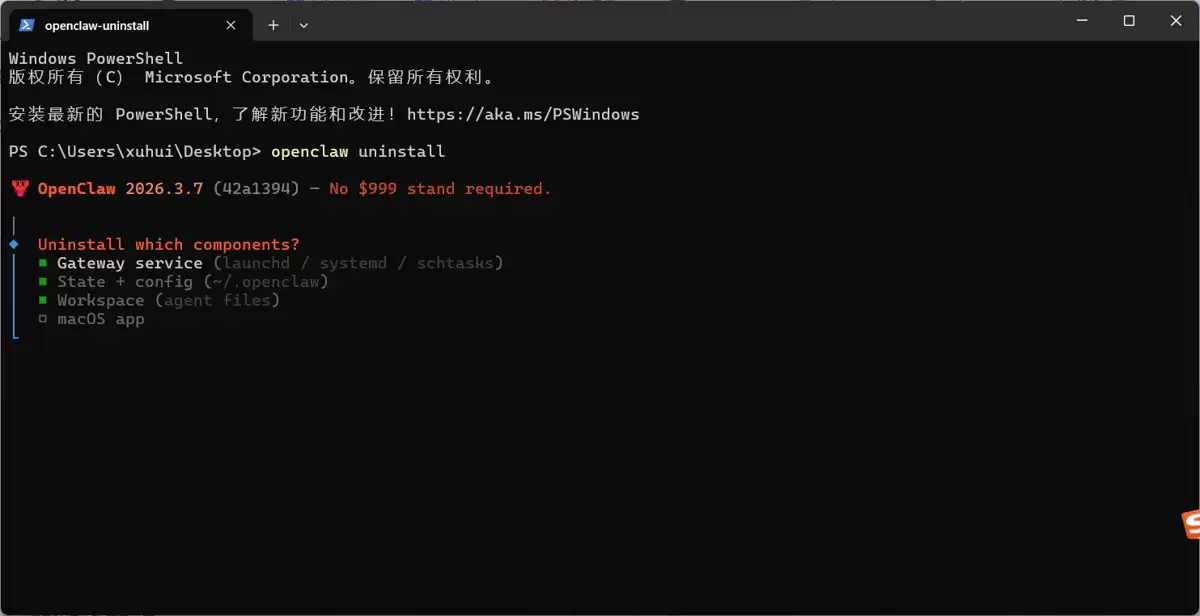
运行后会弹出选择界面:
◆ Uninstall which components?│ ◼ Gateway service (launchd / systemd / schtasks)│ ◼ State + config (~/.openclaw)│ ◼ Workspace (agent files)│ ◻ macOS app
默认已经选中前三个(Windows 用户不用管 macOS app),直接回车即可。
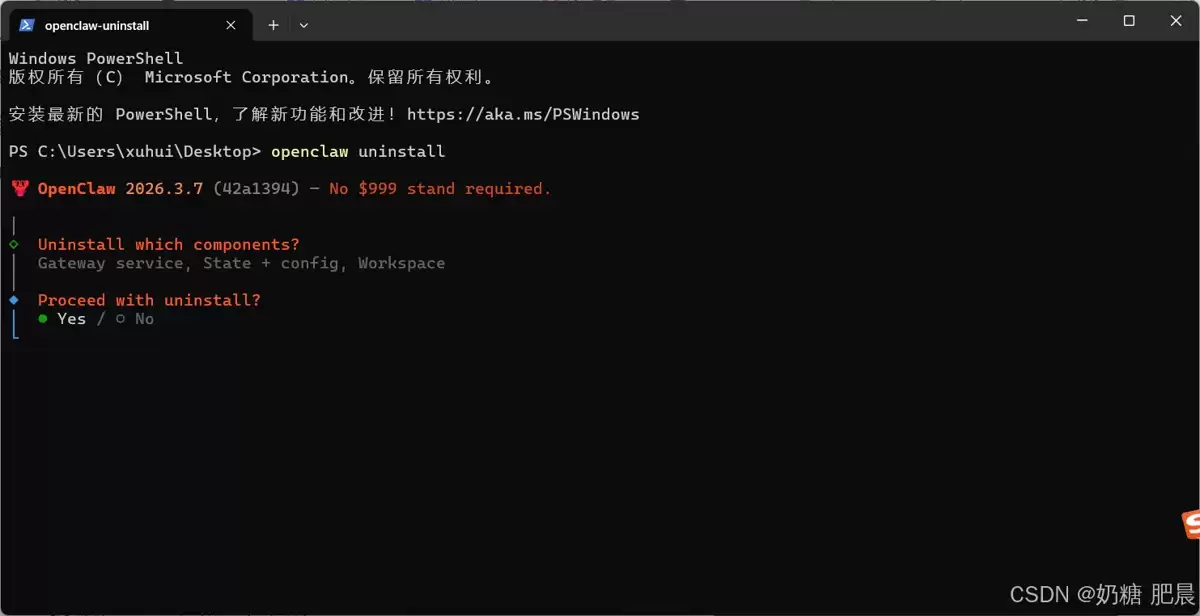
接着会提示:
Proceed with uninstall?│ ● Yes / ○ No
直接回车(默认 Yes),开始卸载。
看到以下输出,说明第一步卸载完成:
✓ Gateway service removed✓ State + config deleted✓ Workspace cleanedOpenClaw has been uninstalled.
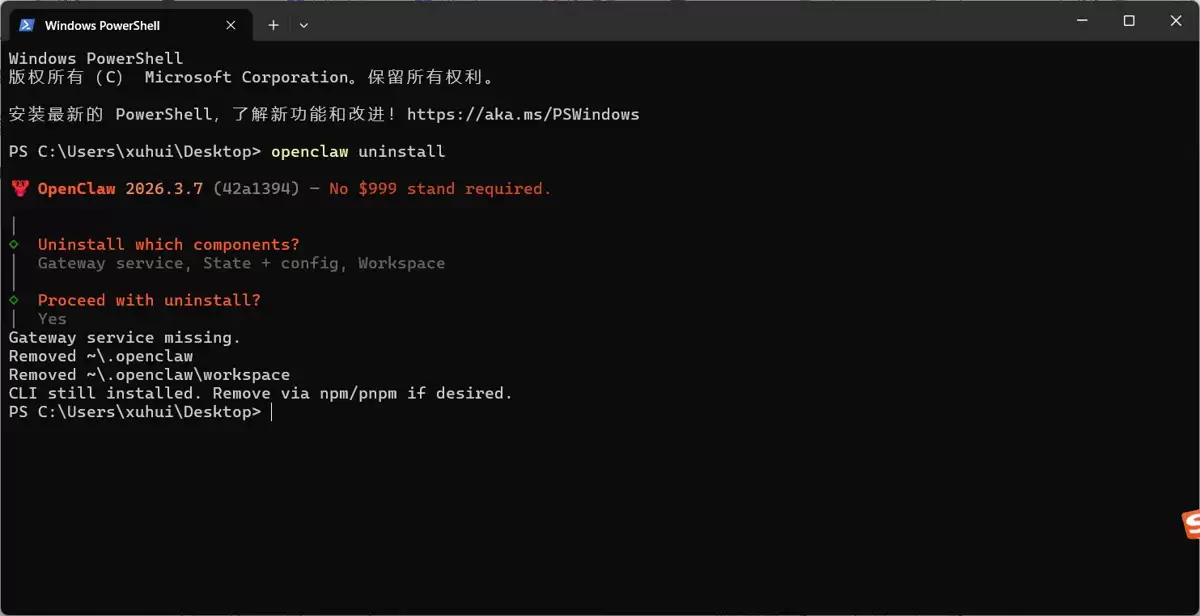
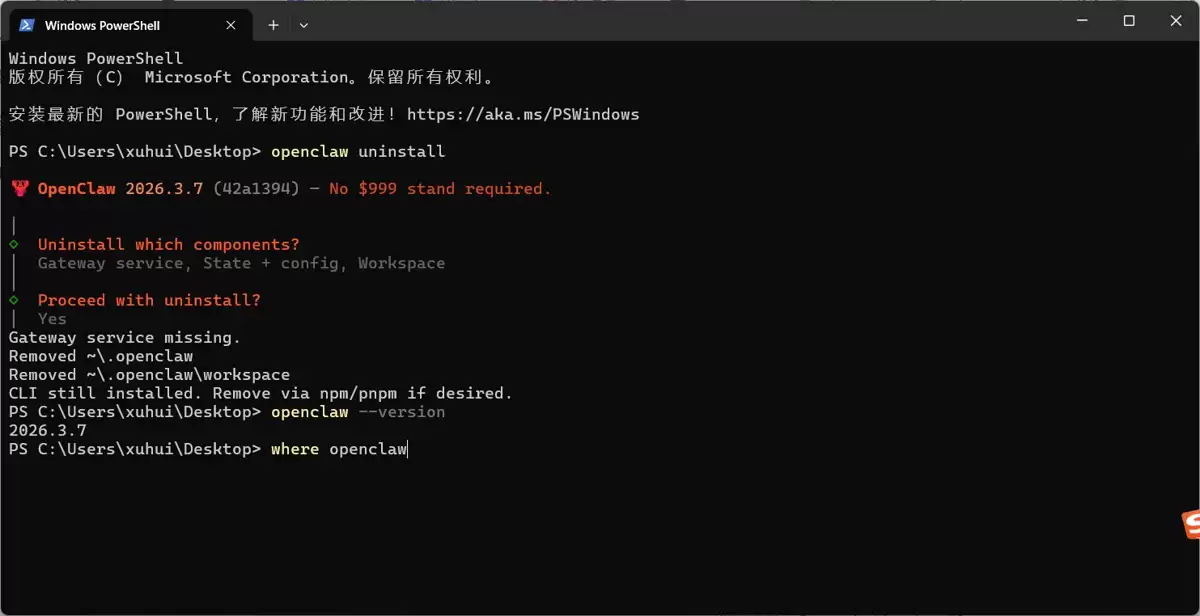
openclaw --version
如果提示 找不到命令,恭喜你,已经彻底卸载了!?
如果还显示版本号(如 2026.3.7),说明命令行工具还在,需要继续下一步。
先找到 openclaw 命令的位置:
where openclaw
通常会在:
C:Users你的用户名AppDataRoamingnpmopenclawC:Users你的用户名AppDataRoamingnpmopenclaw.cmd直接删除这两个文件:
rm C:Users你的用户名AppDataRoamingnpmopenclawrm C:Users你的用户名AppDataRoamingnpmopenclaw.cmd
如果 openclaw 是通过 npm 安装的:
npm uninstall -g openclaw
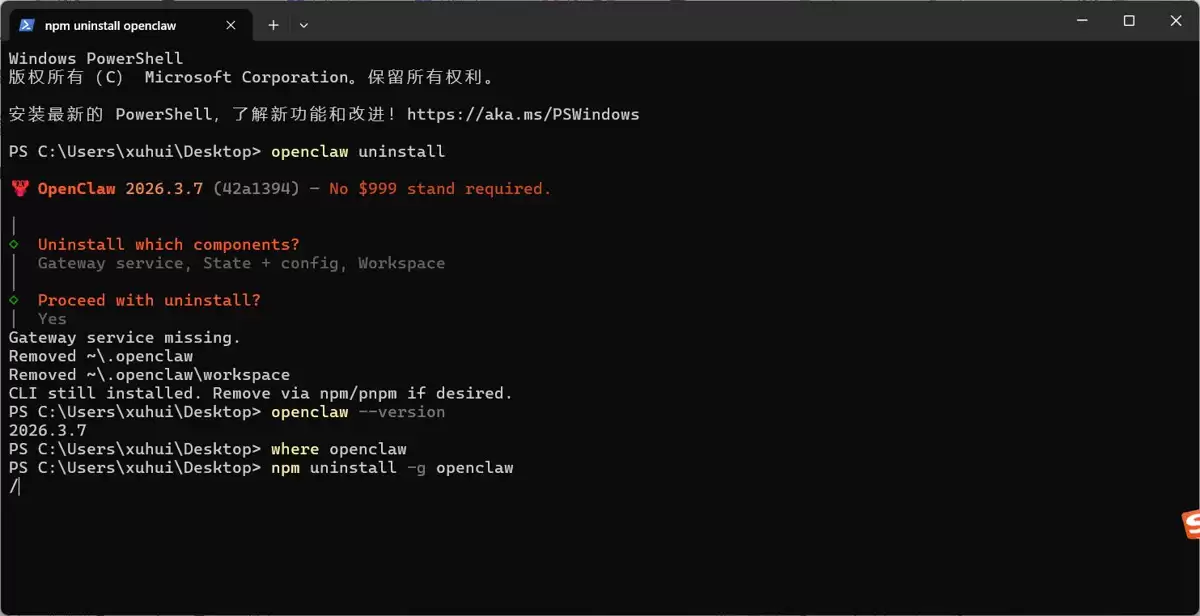
再次运行:
openclaw --version
如果提示 'openclaw' 不是内部或外部命令,说明彻底卸载成功!✅
大家都在看

Copyright(C) 2020-2026 jiyx.com All Rights Reserved 联系方式:[email protected]



