


真人照片转二次元后怎么换画风?原照与二次元成图的两种用法
2026-11-21
2026-11-27 0
在 Kibana 的 Dev Tools → Console 中,先用 /_cluster/stats 获取集群汇总,再用 /_nodes/stats 定位节点资源,最后通过 /{index}/_stats 查看单个索引的文档量、磁盘占用和搜索活动。
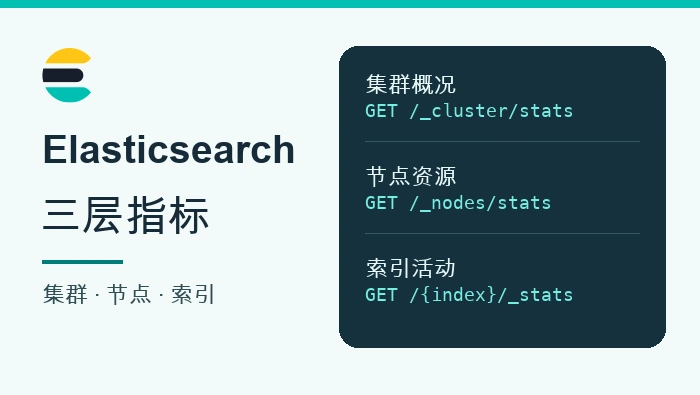
下列请求以 Elasticsearch 8.19 为例,执行索引请求前请替换 demo-metrics。启用鉴权时,前两类统计需要集群级 monitor,索引统计需要索引级 monitor。执行 _count 还需要目标索引上的 read 权限。
先用 nodes.count.total 确认节点数,再用 indices.count 和 indices.shards.total 查看索引与分片数量。对比存储增长时,两次采集都取以字节计的 indices.store.size_in_bytes。
GET /_cluster/stats?filter_path=_nodes,cluster_name,status,nodes.count.total,indices.count,indices.shards.total,indices.store.size_in_bytes先检查 _nodes.failed。值大于 0 时,查看 _nodes.failures,确认哪些节点缺席后再使用汇总值。这里用 filter_path 缩短 JSON 响应,便于保留采集要用的字段。
排查某台节点时,先找到响应 nodes 中对应的节点 ID,再用 name 确认节点身份。随后对照 JVM 堆比例、文件系统余量与搜索队列。
GET /_nodes/stats/jvm,fs,thread_pool?filter_path=_nodes,nodes.*.name,nodes.*.timestamp,nodes.*.jvm.uptime_in_millis,nodes.*.jvm.mem.heap_used_percent,nodes.*.fs.total.available_in_bytes,nodes.*.thread_pool.search.queue,nodes.*.thread_pool.search.rejectedqueue 是采样时的等待队列长度,rejected 是累计拒绝数。判断这段时间是否仍在拒绝请求,可以间隔采两次同一节点的 rejected 后取差,同时核对 uptime_in_millis,排除节点重启造成的计数重置。已经知道节点 ID 时,可在 _nodes 与 stats 之间插入该 ID。
如果还要看节点上分片的搜索活动,使用 indices/search。query_total 和 query_time_in_millis 是分片查询阶段的累计次数和累计耗时。用两次采样的耗时增量除以次数增量,可以得到区间内每次分片查询阶段的平均毫秒数。次数增量为零时跳过该计算。
GET /_nodes/stats/indices/search?filter_path=_nodes,nodes.*.name,nodes.*.indices.search.query_total,nodes.*.indices.search.query_time_in_millis想查看某个索引的体量和搜索活动时,只请求 docs、store、search 三组指标。结果位于 indices 下,以实际索引名为键。
GET /demo-metrics/_stats/docs,store,search?filter_path=_shards,indices.*.primaries.docs.count,indices.*.primaries.store.size_in_bytes,indices.*.total.store.size_in_bytes,indices.*.total.search.query_totalprimaries 只汇总主分片,total 汇总主分片与副本分片。估算主分片存储量看 primaries.store.size_in_bytes,估算包含已分配副本的索引存储量看 total.store.size_in_bytes。单节点实验里若没有已分配的副本,两项可能相同。也要检查 _shards.failed,确认响应是否有分片失败。
需要看每个分片的存储量时,加 level=shards。分片迁移后,该分片的统计会清零。做连续采样时应结合分片位置变化判断计数跳变。
GET /demo-metrics/_stats/store?level=shardsprimaries.docs.count 是 Lucene 层的文档数,nested 字段产生的内部文档也可能计入。需要统计匹配业务查询的 Elasticsearch 文档数时,用 _count,并在有筛选条件时传入对应的查询。本地用 Elasticsearch 8.19.26 实测,写入一个带两个 nested 对象的文档后,前者返回 3,后者返回 1。
GET /demo-metrics/_counthealth 用于看分片分配。green 表示所有主分片和副本分片均已分配,yellow 表示主分片均已分配但有副本尚未分配,red 表示至少一个主分片尚未分配。
GET /_cluster/health?filter_path=status,number_of_nodes,unassigned_shards
Copyright(C) 2020-2026 jiyx.com All Rights Reserved 联系方式:[email protected]